

 Français
 Türkçe
 Azərbaycan
 Italiano
 Русский
 Español
 Uzbek
Uzbek Acid Free Box
 Envelopes
 Multimedia
 Microfilm and Equipment
 Papers And Boards
 Scanners
 Adhesive and Glue
 Brushes
 Chemicals and Cleaners
 Cutters
 Devices
 Fabric And Leather
 Lab Materials
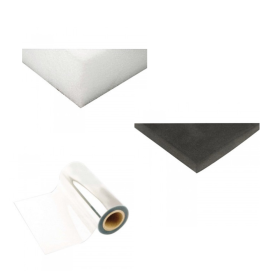 Packaging İngredients
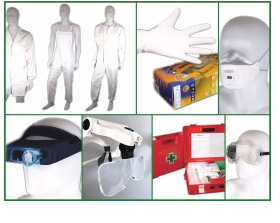 Personal Protective Equipment
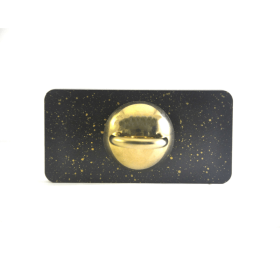 Weights
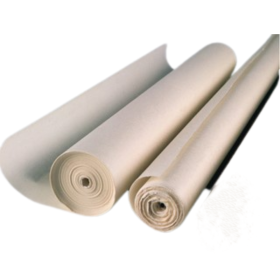 Roll Japanese Paper
 Sheet Japanese Paper
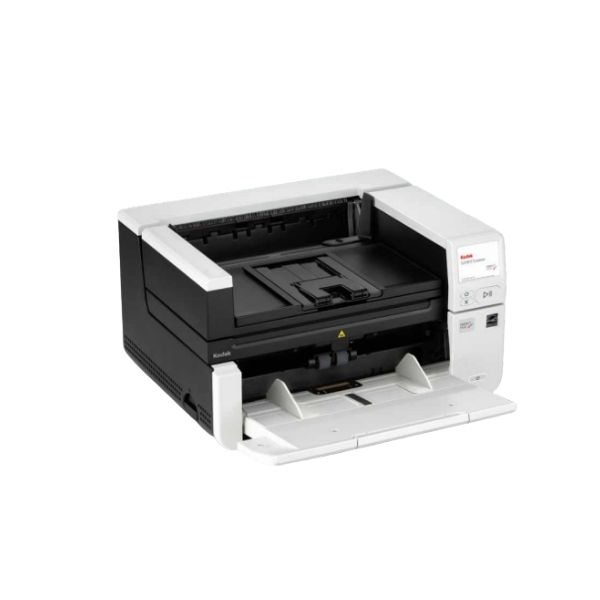
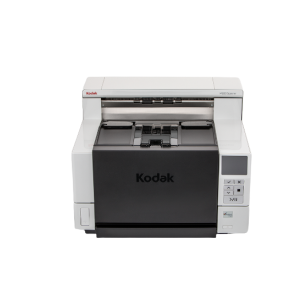
Kodak S3140 Max Scanner | Kodal Alaris
With a throughput of up to 140 pages per minute (ppm) and a recommended daily volume of 70,000 pages, the KODAK S3140 Max Scanner delivers unparalleled speed for its class. Built-in image processing and networking help transform your data capture workflows to a higher level of efficiency and productivity. Our industry-leading image enhancement technology optimizes OCR accuracy while reducing file size, so you can capture data with superior speed and accuracy and inject it instantly into your business processes. Exceptional paper utilization minimizes time spent in the scanner to further increase the speed, accuracy and efficiency of your business processes.
| Product Features | Compact A3 scanner with high scanning speed and a continuous paper path that feeds thick or unusually long documents |
|---|---|
| Yield Rates | |
| Feeder capacity | Up to 500 sheets of 80 g/m² (20 lb.) paper |
| Connection |
|
| Maximum Document Size | 305 mm x 4.6 m (12 in x 160 in) |
| Minimum Document Size | 63.5 mm x 71.1 mm (2.5 in x 2.8 in) |
| Paper Sizes and Weight | 34-433 g/m² (9-160 lb.) paper |
| Maximum Optical Capture Resolution | 600 dpi |
| Accessories and Consumables |
|
| Acoustic Noise |
|
| Approvals and Product Certificates |
|
| Barcode Reading |
|
| Package software |
|
| Data Security | This scanner processes scanned data exclusively through volatile memory ensuring image data is effectively erased upon shut down. Read more about data security. |
| Dimensions and Weight | Size with tray in upright position. Height: 295 mm / 11.6 inches Width 457.2 mm / 18 inches Depth: 370.8 mm / 14.6 inchesWeight: 16.5 kg / 36.29 lbs |
| Electricity Requirements | 100-240 V (International); 50-60 Hz |
| Environmental Certificate |
|
| File Format Outputs |
|
| Image Output Resolution Options |
up to 1200 dpi
|
| Network Protocols |
|
| Operating System Compatibility |
|
| Operating Temperature / Operating Humidity |
|
| Operator Control Panel | 3.5 inch (89 mm) graphic color touch screen LCD with operator control buttons |
| Optional Software |
|
| Paper Path Options | Documents can exit to the front output tray or to the back of the scanner if the continuous paper path option is manually selected |
| Paper Handling (SurePath) Features |
|
| Perfect Page Image Enhancement Software |
|
| Power consumption |
|
| Recommended Daily Volume | Up to 70,000 pages per day |
| Recommended Computer Configuration | INTEL CORE i3, running at 3.5 GHz or higher, USB 3.0 port (Super Fast) or 2.0 (High Speed), 3.43 GB RAM or higher |
| Scanning Technology |
Dual RGB LED Illumination CIS (CMOS); Grayscale output bit depth 256 levels (8-bit); color output bit depth 24 bits (8 x 3); color capture bit depth 48 bits (16 x 3)
|
| Standard Software and Drivers |
|
Kodak S3140 Max Scanner
The Kodak S3140 Max Scanner is a professional
A3 document scanner developed for high-volume document scanning operations,
corporate archive centres and large-scale digitisation projects. With performance of up to
140 pages per minute and 280 images per minute in duplex mode, it helps organisations convert
demanding paper workflows into organised digital files quickly and efficiently.
Its automatic document feeder with capacity for up to 500 sheets, recommended daily volume
of up to 70,000 pages, advanced SurePath paper handling technologies, network connectivity
and Perfect Page image enhancement features make it a powerful solution for government
institutions, banks, hospitals, universities and professional archive service providers.
Key Features of the Kodak S3140 Max Scanner
140 Pages per Minute
Delivers up to 140 pages per minute in simplex mode and up to
280 images per minute in duplex mode.
500-Sheet Feeder
The automatic document feeder holds up to 500 sheets of standard 80 g/m² paper,
simplifying large batch scanning operations.
Up to 70,000 Pages per Day
The recommended daily scanning volume of up to 70,000 pages supports
demanding corporate digitisation projects and extended operation.
A3 and Long Document Support
Scans A3 documents and, under suitable conditions, long documents
measuring up to 4.6 metres.
600 DPI Optical Resolution
Supports detailed and readable digitisation of text, drawings,
photographs and technical documents.
Ethernet and USB Connectivity
Gigabit Ethernet and USB 3.2 Gen 1×1 connectivity allow use
over a corporate network or directly with a workstation.
Who Is the Kodak S3140 Max Scanner Suitable For?
The Kodak S3140 Max Scanner is designed for organisations that scan very large quantities
of documents every day and require operational continuity alongside speed and image quality.
It can be used as a high-performance corporate document scanner
in physical archive conversion projects, busy document intake points and central scanning departments.
- Government institutions and ministry departments
- Municipalities and local authorities
- Archive and document management companies
- Banks and financial institutions
- Insurance companies
- Hospitals and healthcare organisations
- Universities, libraries and research centres
- Courts, law firms and notary offices
- Accounting and financial consultancy firms
- Logistics, manufacturing and human resources departments
Designed for High-Volume Digital Archive Projects
In large-scale archive projects, document feeding reliability, image quality,
reduced operator intervention and continuous operation are as important as scanning speed.
The Kodak S3140 Max Scanner supports intensive workloads with its 500-sheet feeder
and recommended daily scanning volume of up to 70,000 pages.
Built-in image processing helps process data inside the scanner and can reduce
the workload on the connected computer. This architecture can help improve OCR accuracy,
optimise file sizes and deliver information into business workflows more quickly.
SurePath Intelligent Paper Handling Technologies
Kodak SurePath paper handling features help scan documents of different sizes
and thicknesses safely. Controlled stacking and advanced jam recovery features
are designed to reduce the amount of time operators spend managing the scanner.
- Controlled document stacking
- Advanced jam recovery
- Intelligent Document Protection
- Interactive operator control panel
- Length-based multi-feed detection
- Ultrasonic multi-feed detection
- Front or rear document output
Scan Documents of Different Sizes and Thicknesses
The Kodak S3140 Max Scanner can process standard office documents as well as
long, thick and non-standard materials. The supported minimum document size is
63.5 × 71.1 mm, while the maximum supported document size is
305 mm × 4.6 metres.
Support for paper weights from 34 to 433 g/m² helps process thin documents,
standard office paper, cards and heavier materials within the same scanning system.
When the straight-through paper path is selected, documents can exit from the rear of the scanner.
Perfect Page Image Enhancement Technology
Kodak Perfect Page image enhancement technologies help make scanned documents
cleaner, more readable and better suited to archiving. Automatic corrections can
reduce the need for manual editing and improve operator productivity.
- Automatic cropping
- Automatic orientation
- Deskew correction
- Automatic brightness and contrast
- Automatic colour detection
- Automatic white balance
- Background colour smoothing
- Blank page removal
- Image edge fill
- Hole fill
- Electronic colour dropout
- Dual-stream scanning
- Image merging
- Image splitting
- Digital stamping
- Barcode reading
Searchable PDF and Multiple Output Formats
Scanned documents can be saved in several file formats.
Searchable PDF support allows document content to be indexed
and searched by keyword in digital archive systems.
- Searchable PDF
- JPEG
- PNG
- BMP
- Single-page and multi-page TIFF
- Microsoft Word
- Microsoft Excel
- RTF
Barcode-Based Document Classification
The Kodak S3140 Max Scanner can read barcodes on documents and use the data
to separate, classify, file and route documents into the appropriate workflow.
This can help reduce manual data entry in high-volume projects.
Supported barcode types include Codabar, Code 128, Code 39, EAN-13, EAN-8,
Interleaved 2 of 5, PDF417, QR, UPC-A and UPC-E.
Network Use and Corporate Integration
Gigabit Ethernet connectivity allows the Kodak S3140 Max Scanner to connect
to a corporate network. It can be configured for different network environments
using DHCP or a static IP address. TCP/IP support simplifies use in central scanning environments.
USB 3.2 connectivity also allows the scanner to connect directly to a workstation.
Driver support for TWAIN, ISIS, WIA and TWAIN/SANE for Linux helps enable integration
with different scanning and document management applications.
Data Security
Image data processed during scanning is handled through temporary memory.
When the scanner is powered off, image data in temporary memory is removed.
This approach supports data security in organisations processing personal information,
healthcare records, financial documents and legal files.
Kodak S3140 Max Scanner Technical Specifications
| Scanner Type | Professional A3 document scanner |
|---|---|
| Scanning Speed | Up to 140 pages / 280 images per minute |
| Recommended Daily Volume | Up to 70,000 pages per day |
| Feeder Capacity | Up to 500 sheets |
| Optical Resolution | 600 dpi |
| Output Resolution | Up to 1200 dpi |
| Maximum Document Size | 305 mm × 4.6 m |
| Minimum Document Size | 63.5 mm × 71.1 mm |
| Paper Weight | 34–433 g/m² |
| Connectivity | 10/100/1000 Ethernet and USB 3.2 Gen 1×1 |
| Control Panel | 3.5-inch colour touchscreen LCD |
| Dimensions | 295 × 457.2 × 370.8 mm |
| Weight | 16.5 kg |
| Power Requirements | 100–240 V, 50–60 Hz |
| Included Software | Capture Pro Limited Edition and Smart Touch |
Operating System and Driver Compatibility
The Kodak S3140 Max Scanner can be used with Windows 10, Windows 11
and supported Windows Server editions. Driver options are also available
for selected Ubuntu, OpenSUSE and SUSE Linux distributions.
Standard driver support includes TWAIN, ISIS, WIA and TWAIN/SANE for Linux.
Before installation, the operating system version should be checked against
the latest available drivers.
Why Choose the Kodak S3140 Max Scanner?
- High scanning speed of up to 140 pages per minute
- Single-pass duplex scanning at up to 280 images per minute
- Recommended daily volume of up to 70,000 pages
- 500-sheet automatic document feeder
- A3 and long document scanning support
- SurePath intelligent paper handling features
- Perfect Page automatic image enhancement
- Ultrasonic multi-feed detection
- Searchable PDF creation
- Barcode reading and automatic document classification
- Corporate network connectivity via Ethernet
- Durable construction for intensive professional use
Frequently Asked Questions
The Kodak S3140 Max Scanner can scan up to 140 pages per minute in simplex mode and up to 280 images per minute in duplex mode.
The recommended daily scanning volume of the Kodak S3140 Max Scanner is up to 70,000 pages.
Yes. The Kodak S3140 Max Scanner can scan documents up to A3 width and, under suitable conditions, long documents up to 4.6 metres.
The automatic document feeder can hold up to 500 sheets when using standard 80 g/m² paper.
Yes. Scanned documents can be saved as searchable PDF files and searched by content in digital archive systems.
Yes. It can scan the front and back of a document in a single pass.
Yes. It can be connected to a corporate network using Gigabit Ethernet with DHCP or static IP configuration.
Yes. It supports several barcode types, including Codabar, Code 128, Code 39, EAN-13, EAN-8, PDF417, QR, UPC-A and UPC-E.
It is suitable for government institutions, municipalities, banks, hospitals, universities, insurance companies, archive service providers and other organisations processing large volumes of documents.
Depending on the project scope, Arşivist & Dizayn can provide information about device installation, user training, scanning workflow planning and digital archive integration.
Request a Quote for the Kodak S3140 Max Scanner
Let us help you select the right scanner and software solution for your
high-volume document scanning, digital archive or corporate document management project.
For product pricing, stock availability, installation, training and technical support,
visit our contact page.
Contact Arşivist & Dizayn for a solution tailored to your project.
Be the first to review “Kodak S3140 Max Scanner | Kodal Alaris”
Related products
Archive Equipment And Tools
Archive Equipment And Tools
Archive Equipment And Tools
Archive Equipment And Tools

Archive Equipment And Tools

Archive Equipment And Tools
Wicks and Wilson Uscan Roll, Fiche and Aperture Card Microform Scanner

Archive Equipment And Tools
Archive Equipment And Tools
Reviews
There are no reviews yet.